What Is a Port Scanner and How Network Diagnosis Works
What Is a Port Scanner. Learn what a port scanner is, how it works under the hood, the scan types that exist, and where it fits into safe network and website
Your site loads fine from your office, but a customer says it times out. Your uptime monitor flags a failure, yet the server itself is running. That gap between "the host is up" and "the service answers" is exactly where what is a port scanner stops being a textbook question and becomes a practical one.
Why a Port Scan Matters in Everyday Troubleshooting
You renew an SSL certificate, restart the web server, and test locally. Everything works. Minutes later, external checks still fail, and you're left guessing whether the application crashed, a firewall rule changed, or traffic never reached the host at all.
A quick port check replaces that guesswork with an observation. If port 443 doesn't answer from outside while it answers internally, you're no longer debugging the application blindly. You're looking at filtering, routing, or a service that isn't listening on the expected interface.
A Working Definition
A port scanner is a network diagnostic and security tool that probes a host's numbered TCP and UDP ports to determine whether services are reachable, closed, or blocked by filtering, as described in Nmap's port scanning documentation. Ports act as numbered communication endpoints. The scanner sends protocol specific requests and interprets the replies to classify exposure.
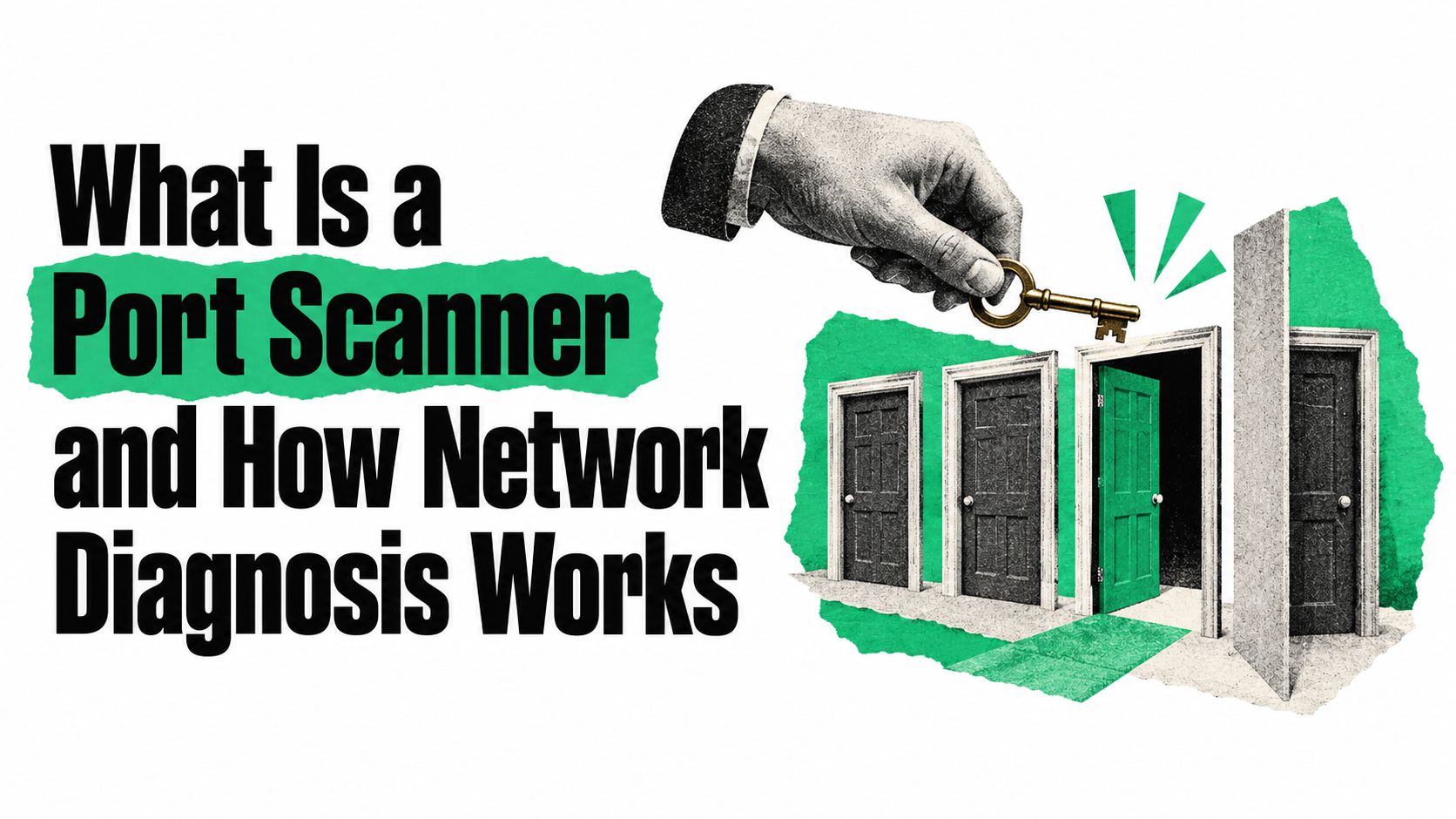
Think of a hotel lobby lined with numbered doors. The scanner knocks on each door you ask about and reports what happens.
- Door opens: A service is listening and accepting connections.
- Door is locked and visible: The host answered, but nothing is listening there.
- Door is hidden behind a wall: Something in the path, often a firewall, prevented a clear answer.
That simple distinction turns "it's down" into three very different next steps. An application problem, a stopped service, and a filtering change each need a different fix.
Where It Sits in Your Toolkit
Port scanning belongs beside ping and traceroute, not in a separate hacking category. A tool such as the SiteAlive ping tool tells you a host responds at all. A port scan tells you whether the specific service behind that host responds.
If you're building a broader troubleshooting routine, this IT support networking guide from Networking2000 is a useful companion for methodical network diagnosis. Three jobs matter most for working operators. You need to read scan states correctly, choose a technique that fits the situation, and scan only where you're authorized.
How Ports, Protocols, and Scan Results Actually Work
An IP address gets traffic to the right machine. A port gets it to the right program on that machine. Ports are 16-bit numbers from 0 to 65535, used by TCP and UDP to direct traffic to the correct service.
The diagram below shows how common services map to familiar port numbers.
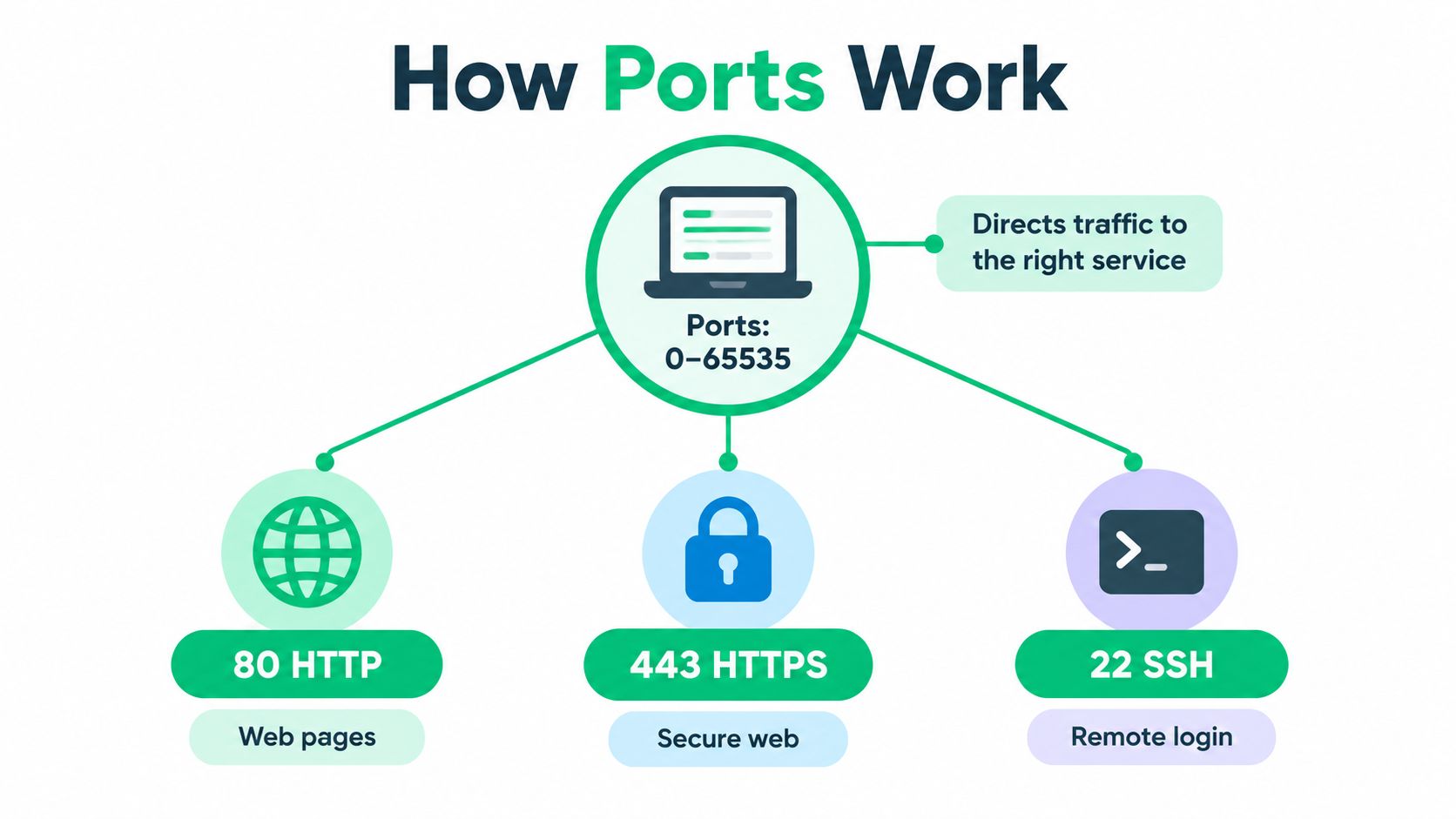
You'll meet the same well known ports repeatedly in operations work.
- 80 and 443: HTTP and HTTPS web traffic
- 53: DNS lookups
- 22: SSH remote login
- 25: SMTP mail delivery
- 3306: MySQL database connections
TCP and UDP use these numbers differently in practice. TCP is connection oriented, so a scanner usually gets a clear reply. UDP has no handshake, and many UDP services stay silent unless they receive a valid request, which makes UDP results harder to interpret.
The Six States a Scanner Reports
Scanners don't just say yes or no. They classify what they observed, and that classification is the whole diagnostic value.
- Open: An application is listening and accepting connections on that port.
- Closed: The host is reachable, but no service is listening there.
- Filtered: A firewall or access control rule blocked the probe, so the scanner can't tell whether a service exists.
- Unfiltered: The host responded, but the response doesn't reveal whether a service is present.
- Open|filtered: The port could be open, or filtering could be hiding the answer. This ambiguity is common with UDP.
- Closed|filtered: The scanner can't distinguish a closed port from a filtered one.
Practical rule: Treat filtered as "something refused to answer," not as "the service is down." Those are different faults with different fixes.
Readers often collapse every nonresponsive port into "closed." Don't. A closed port proves the host answered and nothing listened. A filtered port proves only that your probe didn't get a definitive reply, which points you toward the firewall or network path instead of the application.
Inside a Scan - SYN, Connect, and the Mechanics of Probing
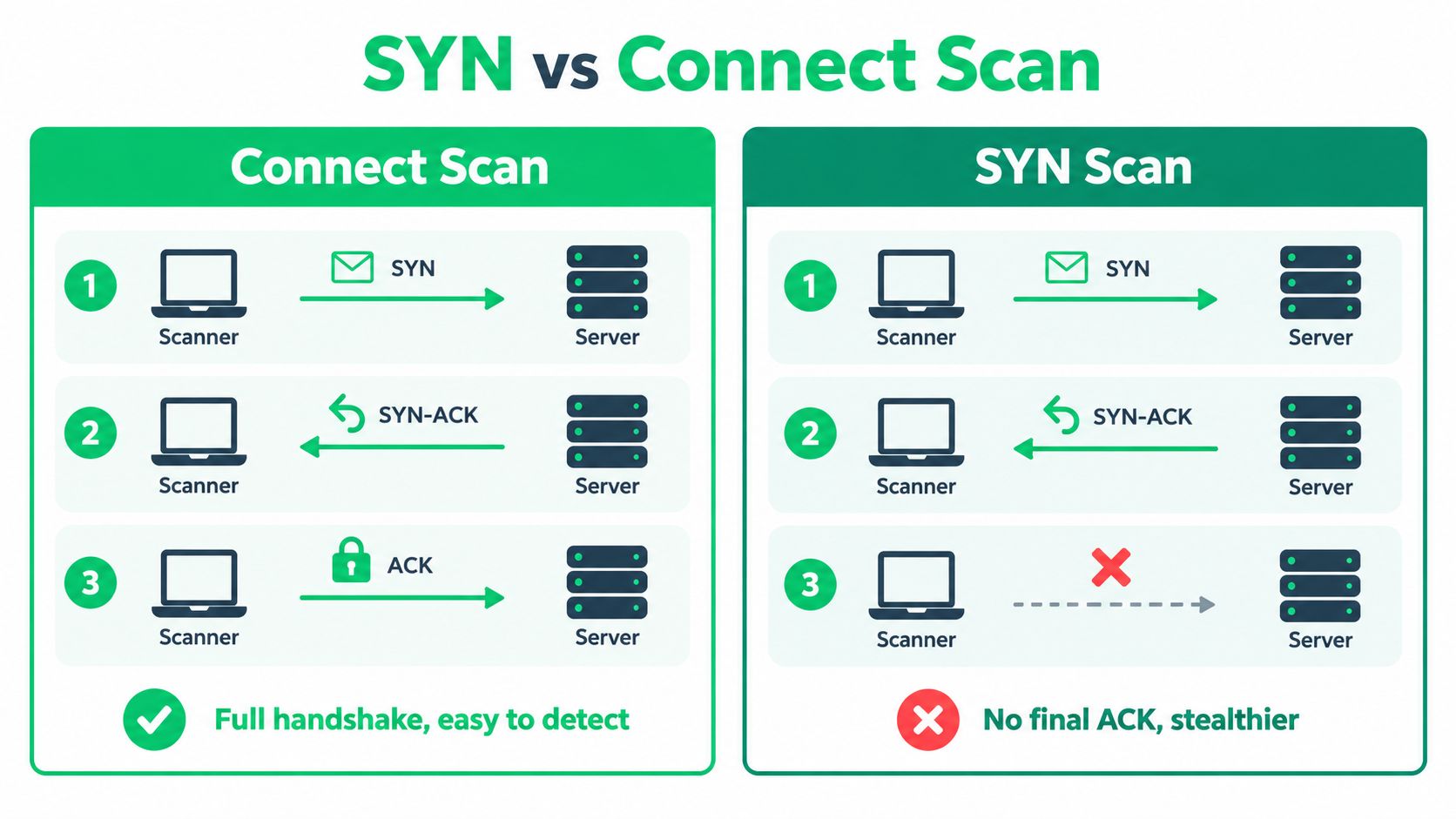
States describe what a scanner reports. Techniques describe how it earns those reports at the packet level. Two TCP methods cover most everyday work, and the comparison below shows how they differ.
TCP Connect Scan
A TCP connect scan is the easiest to picture because it behaves like your browser. The scanner asks the operating system to open a connection using the connect() call and completes the full three way handshake. If the connection succeeds, something is listening.
This works without special raw packet privileges, which makes it widely available. The trade-off is visibility. Because the connection completes, it can appear in normal connection and application logs, just like a real client briefly connecting and leaving.
SYN Scan
A SYN scan stops halfway through the handshake. The scanner sends a SYN packet, as if starting a connection, then watches the reply described in Nmap's guide to port scanning techniques. A SYN/ACK normally means a service is listening. An RST means the port is closed.
Instead of sending the final ACK, the scanner tears the attempt down. It learned the answer without creating a full application level connection. That makes SYN scanning faster and less intrusive, and on fast networks without restrictive filtering it can examine thousands of ports per second.
The short video below walks through these packet exchanges visually if you want to see the handshake steps in motion.
| Dimension | SYN Scan | TCP Connect Scan |
|---|---|---|
| Handshake | Starts it, then aborts before completion | Completes the full connection |
| Privileges | Needs raw packet access | Works without raw packet privileges |
| Speed | Faster, especially across many ports | Slower due to full connections |
| Visibility | Less likely to create application logs | More likely to appear in application logs |
| Best fit | Broad inventory of exposed services | Simple checks from restricted environments |
Neither technique tells you a service is healthy or secure. Both tell you whether it answered, which is the question you asked.
Why Scan Scope Changes the Answer
A scanner could test every TCP port and every UDP port from 0 to 65535. In practice, time and network courtesy force a smaller choice, and that choice shapes your results.
The graphic below frames the trade-off between complete coverage and a focused, faster scan.
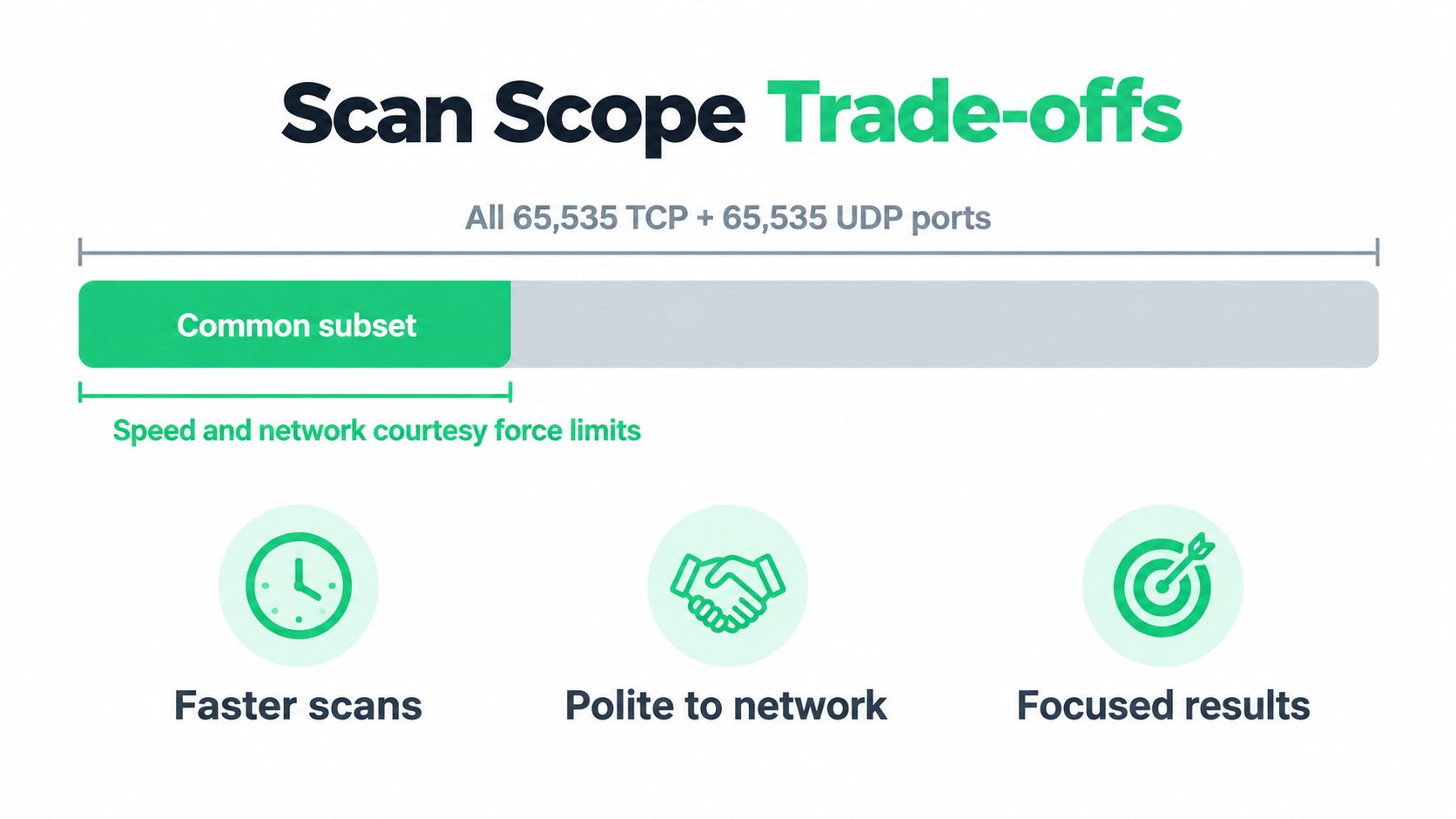
Nmap's standard behavior is to scan the 1,000 most popular ports for each requested protocol. It doesn't count upward from port 1. It uses empirical frequency data about how often ports are found open, so a routine scan tests the doors most likely to matter.
What the Numbers Show
That default is a smart sampling strategy, but sampling has limits. The measurements in Nmap's port selection analysis show the default 1,000-port scan captures approximately 93% of observed open TCP ports but only about 49% of observed open UDP ports.
The gap widens when you look at coverage targets. Reaching 90% of open ports in that measurement requires testing 576 TCP ports versus 11,307 UDP ports. UDP services are spread across far more port numbers, so discovering them demands much more scan volume.
A negative result only covers the ports you actually tested. "Nothing found" is not the same claim as "nothing is exposed."
Two mistakes follow from ignoring scope. First, operators trust a quick common port scan as proof a host exposes nothing unusual, even though a service on an uncommon port was never tested. Second, they assume UDP coverage matches TCP coverage when the data shows it clearly doesn't.
Before you act on any result, ask a plain question. Which protocol, and which ports, did this scan check? If you can't answer that, you don't yet know what the result means.
Legitimate Uses and How Scanning Gets Misused
Port scanning has a reputation problem because attackers use it. So do the people defending and operating the same systems, every day, for ordinary reasons.
Everyday Operational Uses
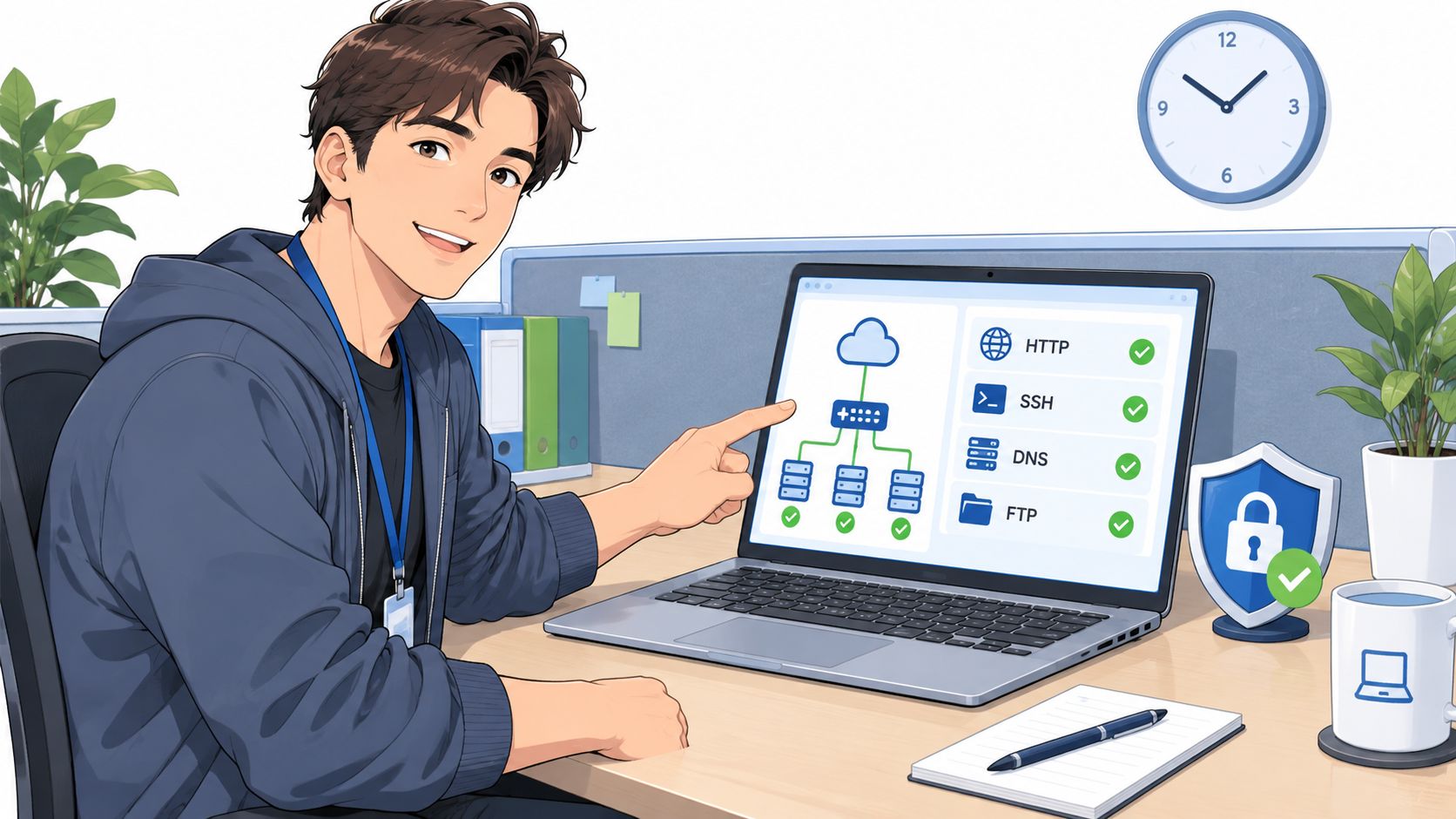
IT and DevOps teams scan to confirm that expected services are externally reachable after a deployment or firewall change. If you just opened 443 for a new site, a scan from outside verifies the rule works the way you intended, not just the way you configured it.
Developers debugging a silent API or mail failure use scans to separate layers. If the mail port never answers, the problem isn't your message formatting. If SSH on port 22 stops responding during an incident, you know remote access itself is affected.
Security teams run periodic scans to audit attack surface before a release. They look for shadow services, meaning listeners nobody deployed intentionally, such as a test database or admin panel left reachable from the internet.
How Attackers Abuse the Same Probes
An attacker runs identical probes with a different goal. They inventory open ports to find entry points, identify what software appears to be listening, and plan follow on attacks against the most promising service.
The technique itself is neutral. Legitimacy depends on who's scanning, which system they're scanning, and whether they have permission. The same SYN packet is diagnostics in an operator's hands and reconnaissance in an intruder's.
This isn't an exotic practice, either. Nmap began as a small Linux only scanner published in Phrack and grew into the reference tool that standardized modern scanning, adding operating system detection, service version detection, and scripting around its core port scanning function. Port scanning is established infrastructure work. The boundary that matters is authorization, not the tool.
Safety, Authorization, and Best Practices Before You Scan
Permission comes before packets. Only scan systems you own or have explicit written authorization to test, because probing third party infrastructure can trigger security controls, alerting, or acceptable use violations.
If you're testing a client's environment, confirm the scope, the test window, and who to contact if something looks wrong. For structured engagements, this network penetration testing guide for MSSPs from ThreatExploit AI outlines how professional testing is organized. You can also review related checks through the SiteAlive security tools when validating your own systems.
Before You Scan Checklist
- Confirm authorization: Know exactly which hosts are in scope and who approved the test.
- Define the ports: Decide which protocols and port ranges you'll test, and why.
- Limit your rate: Scan gently enough that you don't degrade the target or trip intrusion detection unnecessarily.
- Log everything: Record the command, target, timestamp, and operator so results are reproducible and auditable.
- Handle findings carefully: Don't publish or share results for systems you don't own.
Two interpretation rules protect you from bad conclusions. First, never treat open as proof a service is secure or correctly configured. Reachability and safety are separate questions. Second, when a port looks filtered, investigate the firewall or access control list before declaring the service down.
Scan your own systems as aggressively as your change process allows. Scan anyone else's only with written permission, or not at all.
Fitting Port Scanning into a Wider Monitoring Workflow
An uptime check answers one question well. Did the website return an HTTP response in time? When it fails, that check alone can't tell you whether DNS broke, the web server crashed, or a firewall dropped the traffic.
Port scanning adds the missing layer. It confirms the right service is listening on the right door, from an external vantage point. SiteAlive, for example, offers an online port scanner that checks common TCP ports on a host to show whether they appear open or closed from outside the network, alongside its uptime monitoring.
Triangulating During an Incident
Pair tools so each one rules out a layer. Ping checks host reachability, traceroute shows the path, DNS lookup verifies name resolution, an SSL check validates the certificate, and a port scan confirms the service listens. Together they turn "the site feels down" into a specific, actionable observation.
For the broader monitoring picture behind that workflow, the IT Cloud Global network monitoring guide from IT Cloud Global, LLC covers how continuous observation fits together. SiteAlive's own background on how website monitoring works explains the availability side of the same discipline.
Scheduled scans also complement continuous uptime checks as an attack surface audit. Uptime monitoring watches services you know about. A periodic scan catches the listener you didn't know you'd exposed.
Five Takeaways to Act On
- Check the door, not just the building: Host up doesn't mean service up.
- Read states clearly: Filtered and closed demand different responses.
- Know your scope: Record which ports and protocols you tested.
- Get permission first: Authorization is the line between diagnostics and intrusion.
- Layer your tools: Combine scans with uptime, DNS, and SSL checks to find root cause faster.
Quick Answers About Port Scanners
| Question | Answer |
|---|---|
| Is port scanning legal? | It's legitimate on systems you own or have explicit authorization to test. Probing systems without permission can violate policy or law. |
| Can a port scan hack a system? | No. A scanner only discovers what's reachable. Breaking into a service requires separate vulnerabilities and techniques. |
| How does it differ from a vulnerability scanner? | A port scanner maps exposure. A vulnerability scanner tests specific software for known weaknesses, usually starting with a port scan. |
| Why is UDP scanning slower? | Many UDP services don't reply without a valid request, so scanners wait for timeouts instead of receiving a fast SYN/ACK or RST. |
Next time a service looks down but the host still answers, check whether the right port is listening from outside before you start restarting applications. Visit SiteAlive - are your website down? to run a port scan alongside uptime checks, ping, DNS, and SSL diagnostics, and turn a vague outage report into a precise answer about what's reachable and what isn't.